Does Unplugging Appliances Save Electricity? The Truth About “Vampire Power” (And How to Stop It)
We live in a world surrounded by gadgets and gizmos, each vying for a spot in the power outlet. But have you ever wondered if your appliances continue to sip electricity even when you’re not using them? The answer might surprise you, and it could be the key to trimming down your energy bills.
So, let’s dive into the age-old question: Does unplugging appliances save electricity?
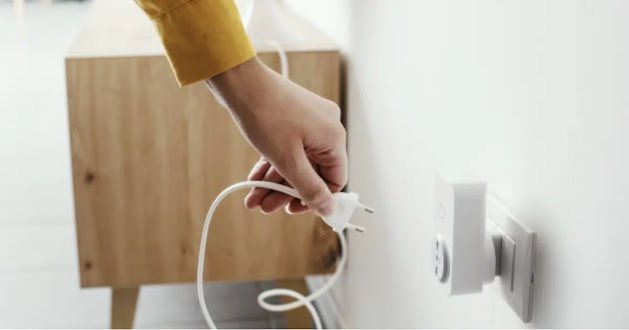
The short answer? Yes, it does. But the long answer involves a bit more nuance.
Picture this: your trusty coffee maker sitting on the kitchen counter, patiently waiting for that next morning brew. While you’re catching some z’s, that seemingly innocent appliance is silently leeching electricity. It’s called standby power or vampire power—the energy consumed by electronics when they’re turned off but still plugged in.
So, just how much electricity can you save by adopting the noble act of unplugging? Standby power can account for up to 10% of your household energy use. That’s a pretty penny you could be saving simply by pulling the plug.
But does this mean you need to channel your inner Clark Griswold and unplug everything in your house when it’s not in use? Well, not exactly. While it’s true that many appliances continue to draw power when plugged in, not all of them are energy culprits. Devices like your refrigerator or washing machine, for example, are essential appliances that shouldn’t be unplugged unless you want a melted ice cream tragedy or a pile of stinky laundry.
Let’s break down exactly what you should unplug, what you should leave alone, and how to stop vampire power without losing your mind.
 The Science of “Vampire Power”
Why do appliances use electricity when they are turned off? It turns out, “off” isn’t really “off” anymore.
In the old days, an appliance was truly off when you flipped the switch. Today, modern convenience has introduced “standby modes” that keep certain circuits alive 24/7.
Why Your Appliances Are Secretly Drinking Power:
Why Your Appliances Are Secretly Drinking Power:
Reason
What It’s Doing
Common Culprits
Remote Control Sensors
Waiting for the infrared signal from your remote to turn on.
TVs, soundbars, streaming sticks, fans.
Digital Clocks & Displays
Powering the little LED clock on the microwave or the “On/Off” light on the coffee maker.
Microwaves, ovens, coffee makers, alarm clocks.
“Instant-On” Features
Keeping the software running in the background so the device boots up immediately.
Gaming consoles, smart TVs, computers.
External Power Bricks
The transformer in the wall wart continues to convert AC to DC power even if the device isn’t attached.
Laptop chargers, phone chargers, power tools.
Software Updates
Staying connected to Wi-Fi to download background updates.
Smart home devices, printers, smart speakers.
💡 Nostalgia note: If you think back to your grandparents’ kitchen, the appliances didn’t have glowing digital clocks or remote controls. When you turned them off, they were truly off. The convenience of modern technology has come with a hidden energy cost!
🔌 The “Unplug” Hit List: What to Pull the Plug On
If you want to reduce your energy bill, focus your efforts on the biggest energy vampires. These are the devices that draw the most standby power.
Top Energy Vampires to Unplug:
Appliance
Why It’s a Vampire
How to Handle It
Televisions & Entertainment Centers
Smart TVs and cable boxes draw massive amounts of power in standby mode.
Unplug them when not in use, or plug them into a power strip with a physical switch.
Computers & Monitors
Even in “sleep” mode, desktops and laptops draw power.
Shut down completely and unplug, or use a smart power strip.
Gaming Consoles
Consoles like PlayStation or Xbox use a lot of energy to stay in “rest” mode for quick wake-ups.
Change the console settings to “energy-saving” mode, or unplug it.
Microwaves & Coffee Makers
The digital clocks and memory settings draw power 24/7.
Unplug them, or plug them into a switched outlet. (Note: You’ll have to reset the clock!)
Phone & Laptop Chargers
The “brick” on the cord uses a tiny amount of power even when the phone isn’t connected.
Unplug them once your device is fully charged.
Printers & Scanners
They stay in standby mode waiting for a wireless print job.
Unplug them or use a power strip with a switch.
🛑 The “Leave It Plugged In” List: What NOT to Unplug
As the old saying goes, you don’t want to throw the baby out with the bathwater. Some appliances need constant power to function properly, protect your home, or simply do their jobs.
Appliances to Keep Plugged In:
✅ Refrigerators and Freezers: Obviously! Unplugging these will spoil your food and cost you hundreds of dollars in wasted groceries.
✅ Washing Machines and Dishwashers: While they don’t use much standby power, they are designed to stay plugged in. (Note: If you have a modern “smart” washer with a Wi-Fi connection, it will draw a tiny bit of power, but it’s not worth the hassle of unplugging).
✅ Ovens and Stoves: Gas stoves need a small amount of power for the electronic igniter and clock. Electric ovens just sit there safely.
✅ Routers and Modems: Unless you want to be completely cut off from the internet, these need to stay on.
✅ Smoke and Carbon Monoxide Detectors: Hardwired detectors need constant power (and their battery backups need to be charged). Never unplug these!
✅ Medical Equipment: CPAP machines, motorized beds, or home oxygen concentrators must remain plugged in at all times.
💡 The “Lazy” Way to Save: Smart Power Strips
Let’s be honest: crawling under your desk to unplug your computer or reaching behind the TV every night is a hassle. If it’s too much work, you won’t do it.
The good news? Technology has created a solution for the very problem it created.
The Best Tools to Fight Vampire Power:
Tool
How It Works
Best For
Switched Power Strips
A simple power strip with a physical On/Off switch. Flip it off when you leave the room.
Entertainment centers, home offices, kitchen counters.
**Smart Power Strips **(Master/Control)
These have a “master” outlet and “controlled” outlets. When you turn off the master device (like the TV), it automatically cuts power to the peripherals (soundbar, gaming console).
Complex entertainment setups.
Smart Plugs
Plugs into the wall and connects to your Wi-Fi. You can schedule them to turn off at night or control them via your phone.
Lamps, coffee makers, space heaters.
Timer Plugs
Simple mechanical timers that cut power after a set number of hours.
Window AC units, phone chargers, space heaters.
🛠️ Pro Tip: Group your “vampire” appliances together. Plug your TV, soundbar, streaming stick, and gaming console into a single switched power strip. When you’re done watching TV, just flip the one switch on the strip. It takes two seconds and cuts off all the standby power at once!
💰 The Real Math: How Much Are You Actually Saving?
Is it really worth the effort? Let’s look at the numbers.
The average U.S. household spends about $130 to $150 a month on electricity.
If standby power accounts for 5% to 10% of that use, you are spending roughly $75 to $180 a year just to power devices that are turned off!
Over a decade, that’s $750 to $1,800 wasted on ghost energy.
While unplugging a single phone charger might only save you a dollar or two a year, tackling the big vampires—like the entertainment center, the home office, and the kitchen appliances—can put real money back in your pocket. And in a world where everything seems to be getting more expensive, keeping a few extra dollars in your wallet is always a win.
Frequently Asked Questions
Q: Does leaving my phone charger plugged in waste a lot of electricity?
A: A single modern phone charger uses a very tiny amount of power (about 0.1 to 0.5 watts) when not connected to a phone. It won’t break the bank, but if you have five chargers plugged in around the house, it adds up. It’s a good habit to unplug them when not in use.
Q: Is it bad for my appliances to be unplugged all the time?
A: No! In fact, unplugging appliances can actually protect them. It shields them from power surges caused by lightning strikes or grid fluctuations. Modern electronics are sensitive, and being physically disconnected is the safest way to protect them.
Q: Do surge protectors stop vampire power?
A: No. A standard surge protector only protects your devices from voltage spikes. It still allows standby power to flow through. To stop vampire power, you need a surge protector with a physical On/Off switch, or a “smart” strip.
Q: Should I unplug my microwave?
A: If you don’t mind resetting the clock every time you want to use it, yes! The digital clock on a microwave draws power 24/7. If it’s a hassle, just plug it into a switched power strip along with your toaster and coffee maker.
**Q: What about my smart home devices **(Alexa, smart bulbs, etc.)
A: Smart speakers and Wi-Fi-enabled devices draw a small amount of power constantly to listen for their “wake word” or stay connected to your network. If you don’t use them often, unplug them. If you use them daily, the convenience might outweigh the few dollars a year in energy costs.

A Compassionate Closing Thought
If you’re reading this because you’re looking at your electricity bill and wondering where all the money went, or because you just want to be a little more mindful about your home’s energy use—please know:

Small habits make a big difference. You don’t have to overhaul your entire life to save energy. Just flipping a power strip switch before bed or unplugging the coffee maker in the morning are tiny acts of care for your home and your wallet.
Resourcefulness is a virtue. There is a deep, quiet satisfaction in knowing you aren’t wasting what you’ve been given. Turning off what you don’t need is a simple way to honor the resources that keep our homes running.
Don’t let perfection stop you. If you forget to unplug the microwave a few times, don’t beat yourself up. The goal isn’t to be flawless; it’s just to be a little more aware.
Your home is your sanctuary. Taking control of your energy use isn’t just about saving a few bucks; it’s about mindfulness. It’s about being present in your space, knowing how it works, and treating it with intention.
Remember the old days, when the house was quiet at night? The appliances were truly asleep, and the only thing running was the hum of the refrigerator.
There is a certain peace in returning to that simplicity.
So tonight, before you go to bed, take a quick walk through the house. Flip the switch on the TV power strip. Unplug the phone charger. Turn off the coffee maker.
And as you head to sleep, rest easy knowing your home is quiet, your appliances are resting, and your hard-earned money is staying right where it belongs—in your pocket.
What is your best trick for saving energy around the house? Do you use power strips, or do you have a habit of unplugging things? Share your frugal tips and home-saving secrets respectfully in the comments below.